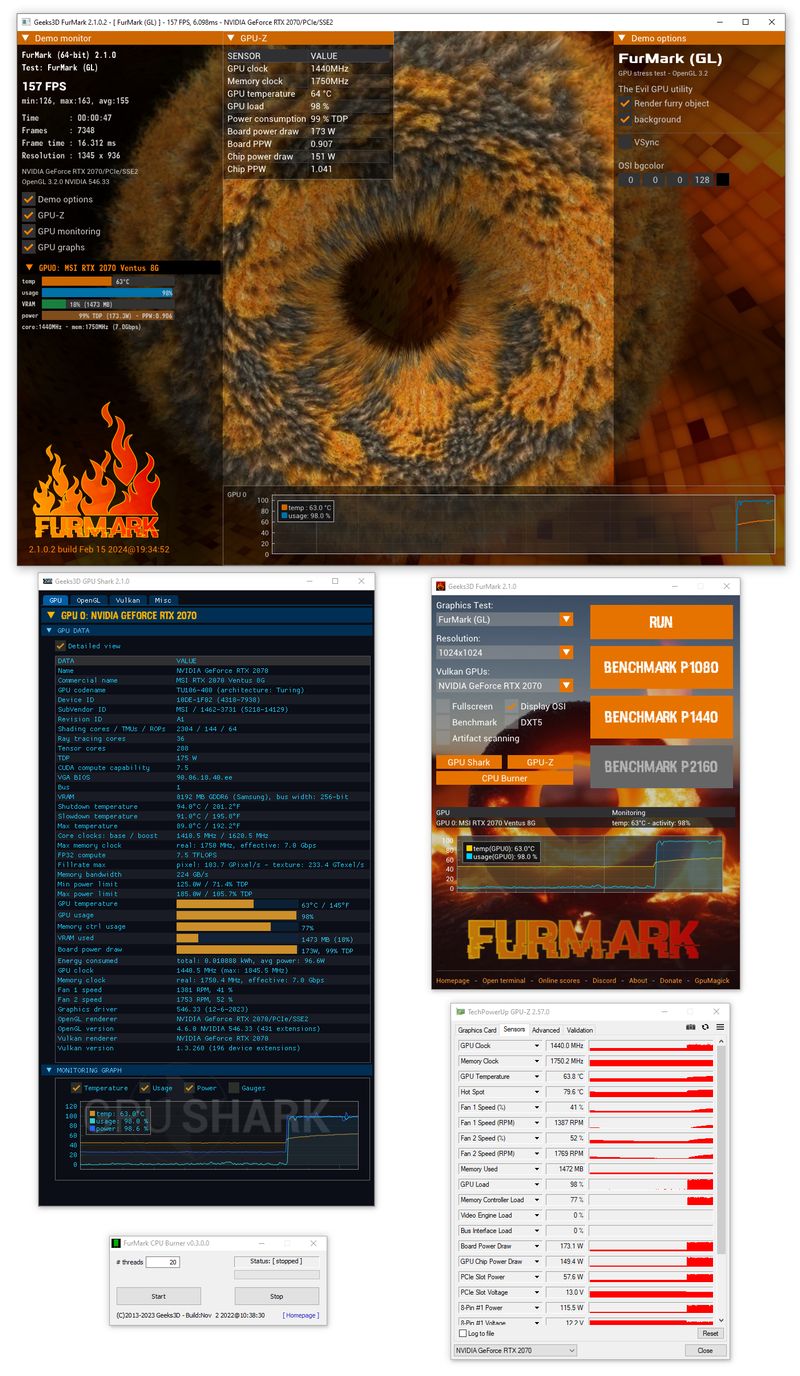
Safe setup: your first baseline run
Use this baseline workflow when testing a new GPU, validating cooling changes, or checking stability after tuning. It’s designed to reduce risk and make results easier to interpret.
- Prepare the system: close unnecessary heavy apps, confirm fans are working, and ensure case airflow is unobstructed.
- Pick moderate settings: start with a common resolution (e.g., 1080p) and moderate AA. Avoid jumping straight to the most aggressive preset.
- Keep monitoring visible: watch GPU temperature, clocks, usage, fan behavior, and any throttling indicators during the first minutes.
- Run a short supervised session: begin with a few minutes. You’re looking for temperature stabilization and stability signals, not maximum pain.
- Escalate gradually: only increase resolution/AA if temps are stable and you have a clear reason (e.g., validating cooling headroom).
- Document the run: record settings (API mode, resolution, AA, window/fullscreen) and ambient conditions so comparisons stay meaningful.
Stop immediately if you see:
- Artifacts, flashing blocks, or corrupted geometry
- Driver resets, black screens, or repeated application crashes
- Temperatures that keep climbing with no sign of stabilization
- System freezes, reboots, or instability symptoms